Pair the button.
Sign in to your account and connect CRONVI Button to your Android smartphone or iPhone via Bluetooth. The app is included in the kit, exclusively for button owners.
BUTTON + DEDICATED APPPrepare. Compete.
Analyse your results.
The stopwatch for classic car regularity rallies, with time controls, average-speed tests and GPS Tripmaster. The CRONVI app comes with the Bluetooth button: all your tools in one place.
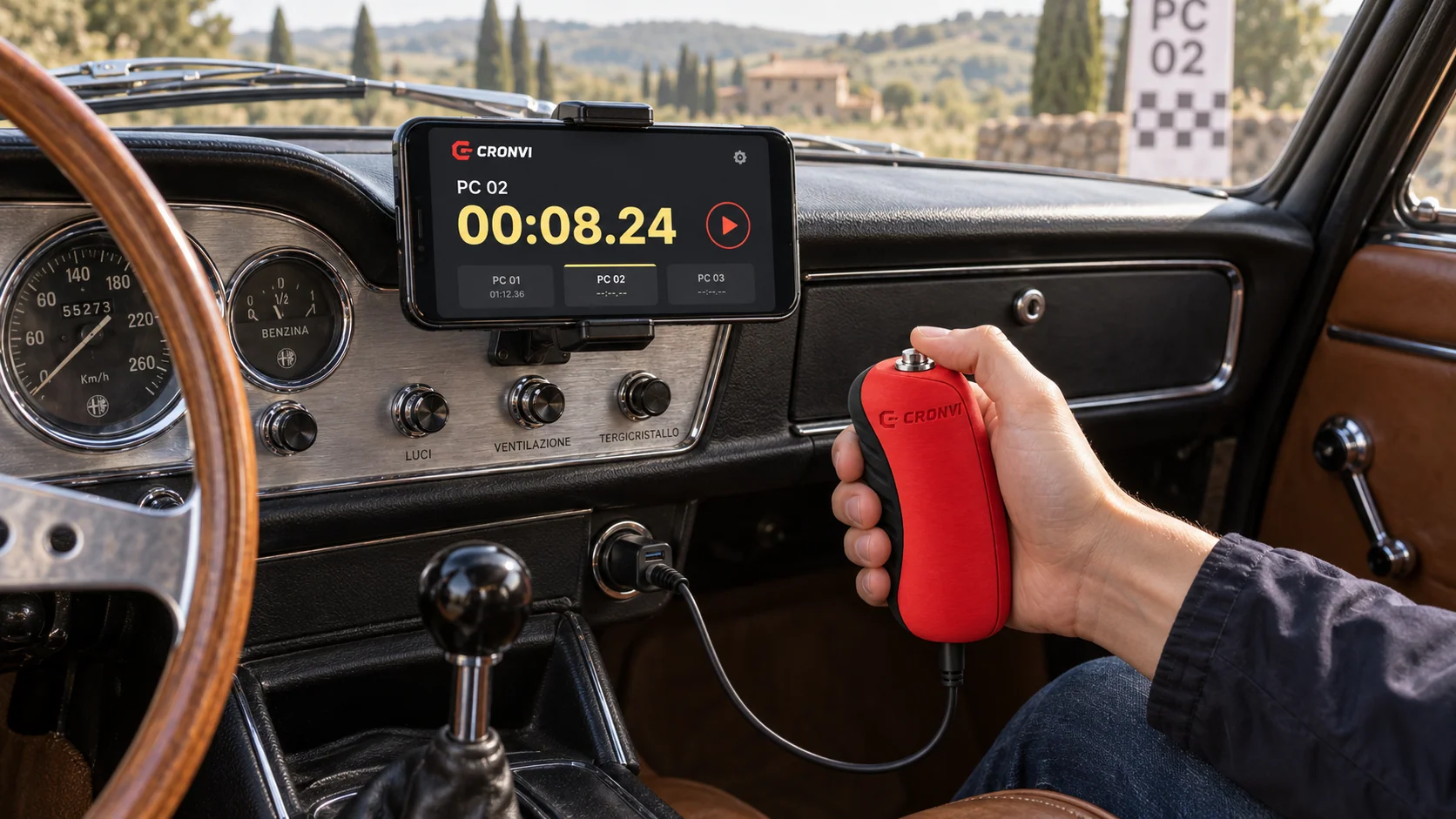
Demo interface · Button render
Press the button to start.
For drivers, navigators, clubs and classic car enthusiasts. From practice sessions to amateur and regional events, CRONVI brings together the tools for classic, touring and rally regularity events.
Sign in to your account and connect CRONVI Button to your Android smartphone or iPhone via Bluetooth. The app is included in the kit, exclusively for button owners.
BUTTON + DEDICATED APPOrganise timed tests, time controls and average-speed tests. Set durations, starts, speed changes, voice cues and the preparatory countdown before heading out on the route.
YOUR RALLY PROGRAMMEStart tests and record timing-line crossings with the button, with less interaction on screen. After the finish, review laps, deviations, scores and standings.
ONE TOUCH, AT THE RIGHT MOMENTStopwatch, timed tests (PC), time controls (CO), average-speed tests and GPS Tripmaster. Simple during the rally, comprehensive after the finish.
Arrive at the start with an organised sequence. Create all the timed tests you need, then set durations, starts and audio cues for your crew.
The button within reach, large numbers and essential controls. The interface adapts to portrait and landscape viewing while the voice counts down the final seconds.
Average-speed test · Planned speed changes
Regularity rallying involves more than a sequence of stopwatches. Manage time controls and average-speed tests in the same app too.
The Tripmaster uses your smartphone’s GPS to bring route references together on one screen with large, readable numbers.
Smartphone GPS is a supporting tool for practice, navigation and amateur events. It is not equivalent to a certified professional wheel sensor.
Find your sessions, enter actual results and compare deviations, scores and standings. Every rally becomes a reference for preparing the next.
A native timing engine, a physical Bluetooth control and data available on your phone. Behind the essential interface, a platform that supports your entire session.
The timing engine manages the sequence using cumulative target times: each linked timed test follows the ideal time of the previous one, maintaining the rally’s time reference.
CUMULATIVE TARGET TIMESCRONVI Button is based on ESP32 and communicates via Bluetooth Low Energy HID. The firmware filters contact bounce: a press starts the test or records a crossing.
ESP32 · BLE HID · DEBOUNCINGAfter your first sign-in, the rally functions remain available offline. Your data is stored on the phone and synced to the cloud when the connection returns.
LOCAL DATA · CLOUD SYNCYour sign-in is saved on the device, with backup and secure synchronisation to the CRONVI backend. Mandatory version checks block outdated versions and require an update.
unlimited tests per rally
timer display format
to find your rhythm
button and app together
A display in hundredths of a second is not certification of measurement accuracy. CRONVI is a support and training tool; its use in competition depends on the event’s regulations.

The sound of the engine. The bend you know.
And that touch, exactly when you want it.
“During timed tests I want to look at my phone as little as possible. With the voice countdown and physical button, I can focus much more on the timing and the road.”
“The interface is very clean and you can read the numbers straight away, even when you’re moving. For me, that’s one of the most important things during a test.”
“Being able to prepare all the linked timed tests in advance is really convenient. I set up the session, then during practice I only have to think about following the rhythm.”
“I like the Tripmaster because I can see TOTAL and TRIP at a glance. Correcting the distance is straightforward too, and I don’t have to keep switching between apps.”
“I mainly use it for practice. I can create tests, repeat them and then take my time reviewing every crossing to see where I was early or late.”
“The button makes quite a difference to the experience. Pressing a physical control is much more immediate than finding the right spot on a touchscreen.”
“Having time controls, timed tests and average-speed tests in one place makes preparation much easier. I used to use different tools and waste quite a lot of time.”
“The preparatory countdown is a feature I didn’t expect to use so much. It helps me approach the start with a clear reference before the test has even begun.”
“I often practise in areas with a weak signal. Knowing that the rally functions keep working offline gives me real peace of mind.”
“I like being able to choose how the countdown works: voice, beeps or silent. Depending on the test, I can set it up in whatever way feels most natural to me.”
“After a test I check the crossings and deviations straight away. Having the history already organised in the app makes it much easier to compare one lap with the next.”
“It’s very practical for organising club training sessions. We prepare the test sequence, make our runs and can compare the results straight away at the end.”

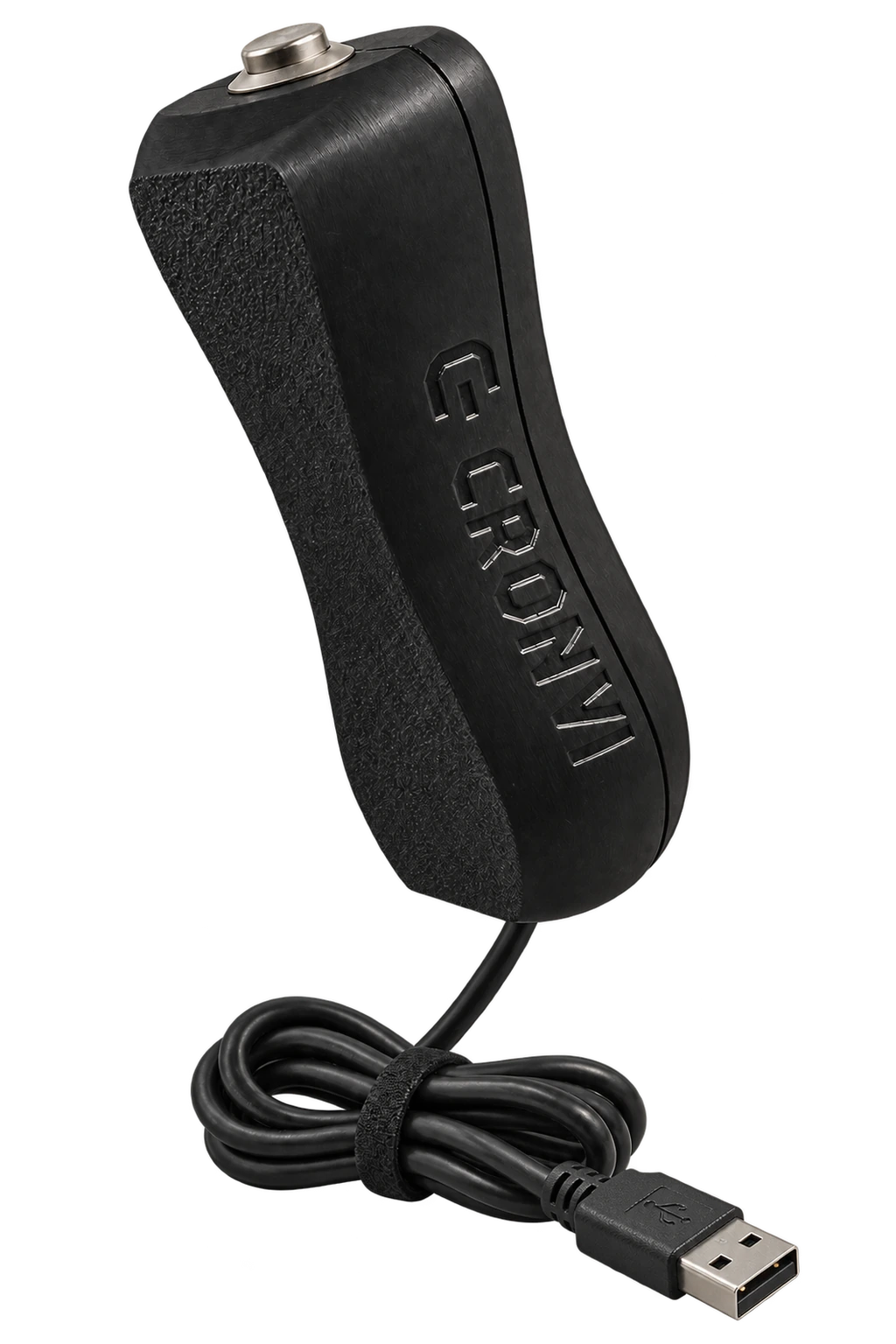
CRONVI Button · USB-C cable · Illustrative render
Buy CRONVI Button and get the CRONVI app included. Hardware and software, designed to work together.
The kit, GPS, your account and how it works during a rally.
No. CRONVI is supplied exclusively with CRONVI Button. When you buy the kit, you receive the button and the dedicated app for Android and iOS: the app is not distributed separately.
CRONVI is available for Android smartphones and iPhone (iOS). Your phone must support the button’s Bluetooth connection. The app is included in the kit on both platforms; check that it works on your device before using it at an event.
Connect the button to your smartphone via Bluetooth, open the rally in the app and go to the running screen. One press starts the timer; further presses record the crossings set for the session. The first timed test starts manually; later tests can have manual or linked starts.
After your first sign-in, you can use the rally functions without Internet access. Data is stored on the phone and synced to the cloud when a connection becomes available. The button communicates via Bluetooth.
It is a preparatory interval you can set before the first timed test. It helps you time your approach to the rally sequence: the first timed test begins when the interval ends.
Yes. You can create unlimited timed tests, repeat sessions, practise average-speed tests and use GPS references. The history saves your crossings; actual results, deviations, scores and standings help you analyse the session.
GPS powers the Tripmaster’s TOTAL and TRIP counters, distance travelled, current speed and average speed. It supports average-speed tests, quick distance correction and calibration against an official distance. It is designed to support training, navigation and amateur events; it does not replace a certified professional wheel sensor.
Yes, registration and a personal sign-in are required. Your session is saved on the device and data is kept separate for each account. During the rally it stays on your phone; backup and secure synchronisation with the backend take place when a connection is available.
Yes. CRONVI includes a mandatory version check: outdated versions are blocked and must be updated to continue using the app.
No. CRONVI is a supporting tool: displaying hundredths of a second does not certify the accuracy of the phone and button system. Crossings are recorded by the crew’s button presses. Smartphone GPS is not equivalent to a certified professional wheel sensor. Check the applicable regulations for each event.

Questions about the kit, compatibility or rally use? Get in touch and we’ll help you get started.
Or email us